
Your day lives in your head
Opening, prep, handoffs, and follow-up depend on whoever remembers what comes next.
Put repeatable work into checklists your team can actually follow.
For small food businesses
Owner's viewFarin is simple food business software for bakeries, cafés, restaurants, and small food producers. Plan what to make and buy, manage orders, schedule staff, and see the numbers.
Buttered Up Bakery
Daily view · sample workspace

Daily view · real product screen
Sales, labor, and open work in one place.
Sound familiar?
01 / The pressureFarin turns repeatable work into something your team can see, share, and finish without you chasing every detail.
Opening, prep, handoffs, and follow-up depend on whoever remembers what comes next.
Put repeatable work into checklists your team can actually follow.
Quantities, yields, vendor prices, and production notes change faster than a spreadsheet can keep up.
Keep order guides, recipes, costs, and production decisions together.
Email, text, website, wholesale, and holiday orders all create another place to check.
Give customers a clear ordering path and keep fulfillment visible.
Schedules, timecards, sales, and costs live apart, so the important story arrives late.
See staffing, sales, and money early enough to shape the next week.
The essentials
02 / The work that pays offThese are the jobs small food businesses usually feel first. Start with one, then connect more when it saves time or protects your margin.
Keep ingredients, yields, nutrition, allergen notes, and production detail together.
One trusted recipe for the kitchen, the label, and the customer.
Explore recipesUse recipe cost tables and changing vendor prices to see what is driving the cost of each product.
Price and plan with more context—not a stale spreadsheet.
See costing toolsPublish a branded site, retail menu, and wholesale ordering path from the products you already manage.
Customers know where to go, and your team sees what was promised.
See selling toolsBuild shifts, capture punches on a shared clock, and review missed time before payroll.
Planned hours and actual hours stay close enough to trust.
See staffing toolsBring receipts and bank activity together, use suggestions for repetitive work, and review exceptions before posting.
Less manual cleanup without giving up control.
See accounting toolsBuild a focused update, choose the right audience, preview it, and send when it is ready.
Turn the customer list you already have into a reason to return.
See customer toolsSee the work
03 / The workEach part works on its own. Start where the pressure is highest, then add another only when it saves you time.
Know what is happening now and what needs to happen next.
Open Farin for sales, labor, open work, and the decisions waiting for you.
Product proof
04 / Real screens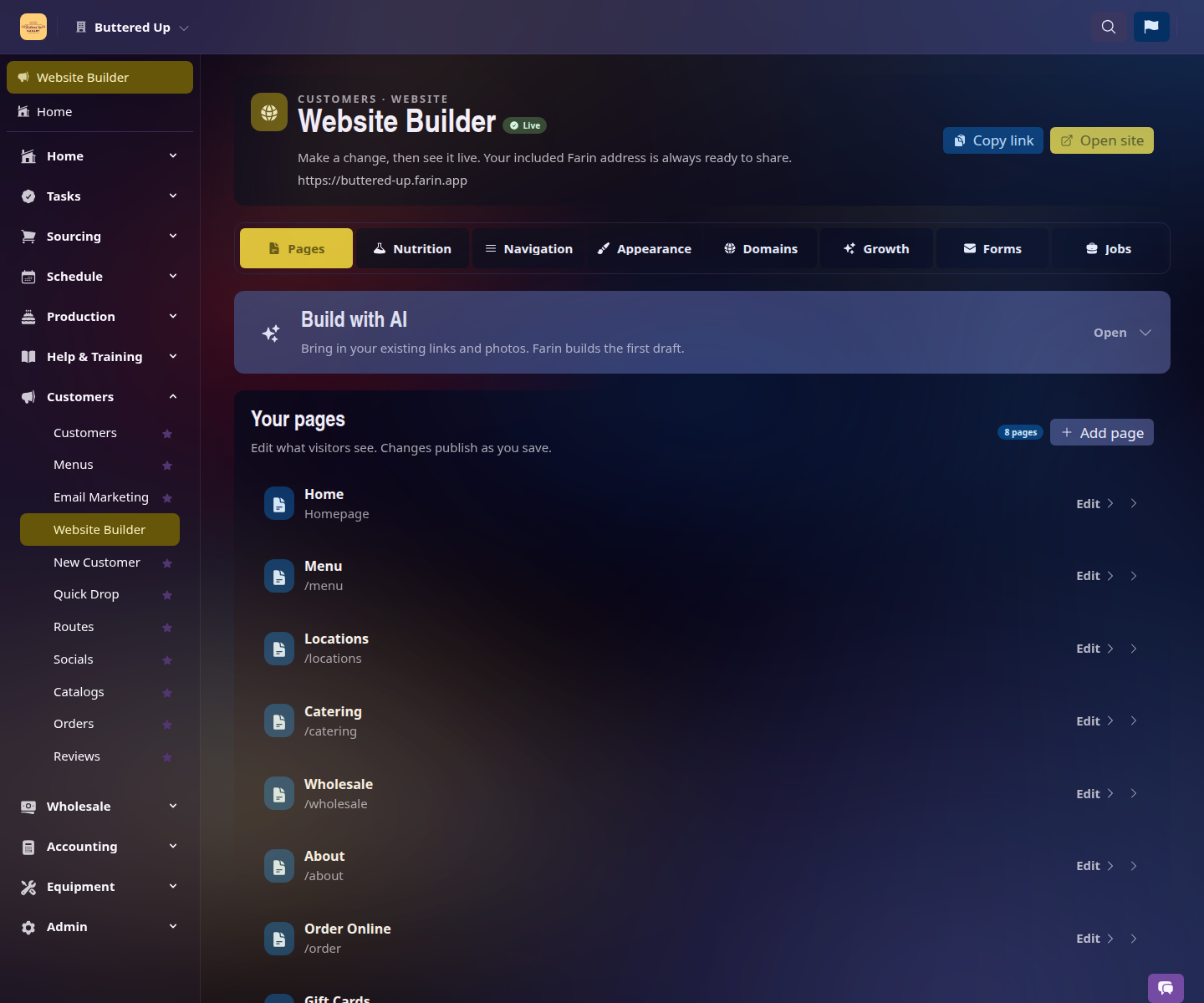
Choose the pages, style, and customer paths that fit your business without starting from a blank screen.

Put your story, products, hours, and ordering path in a polished public website.
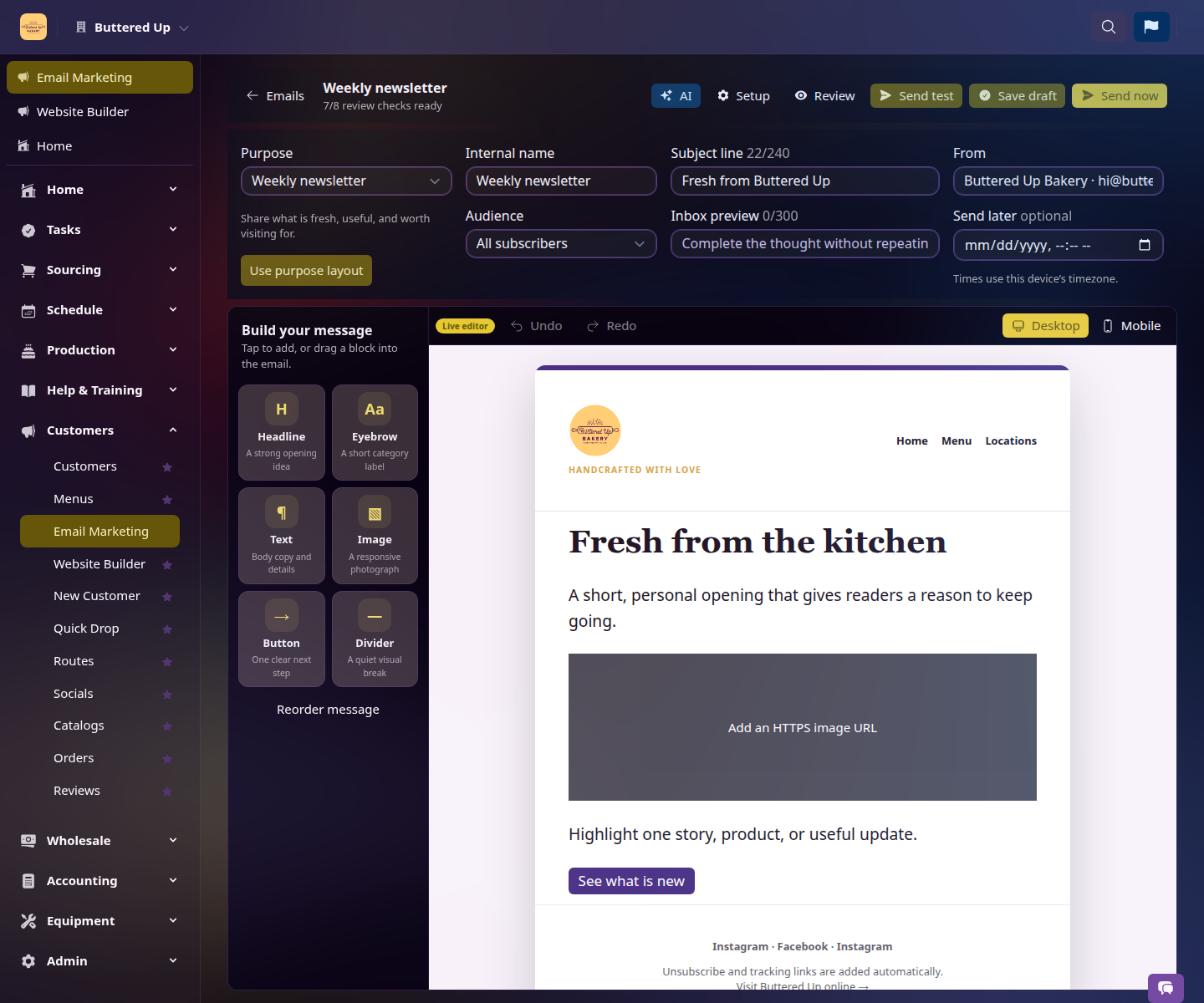
Edit a useful message, choose the audience, and check the mobile and desktop experience before it leaves.
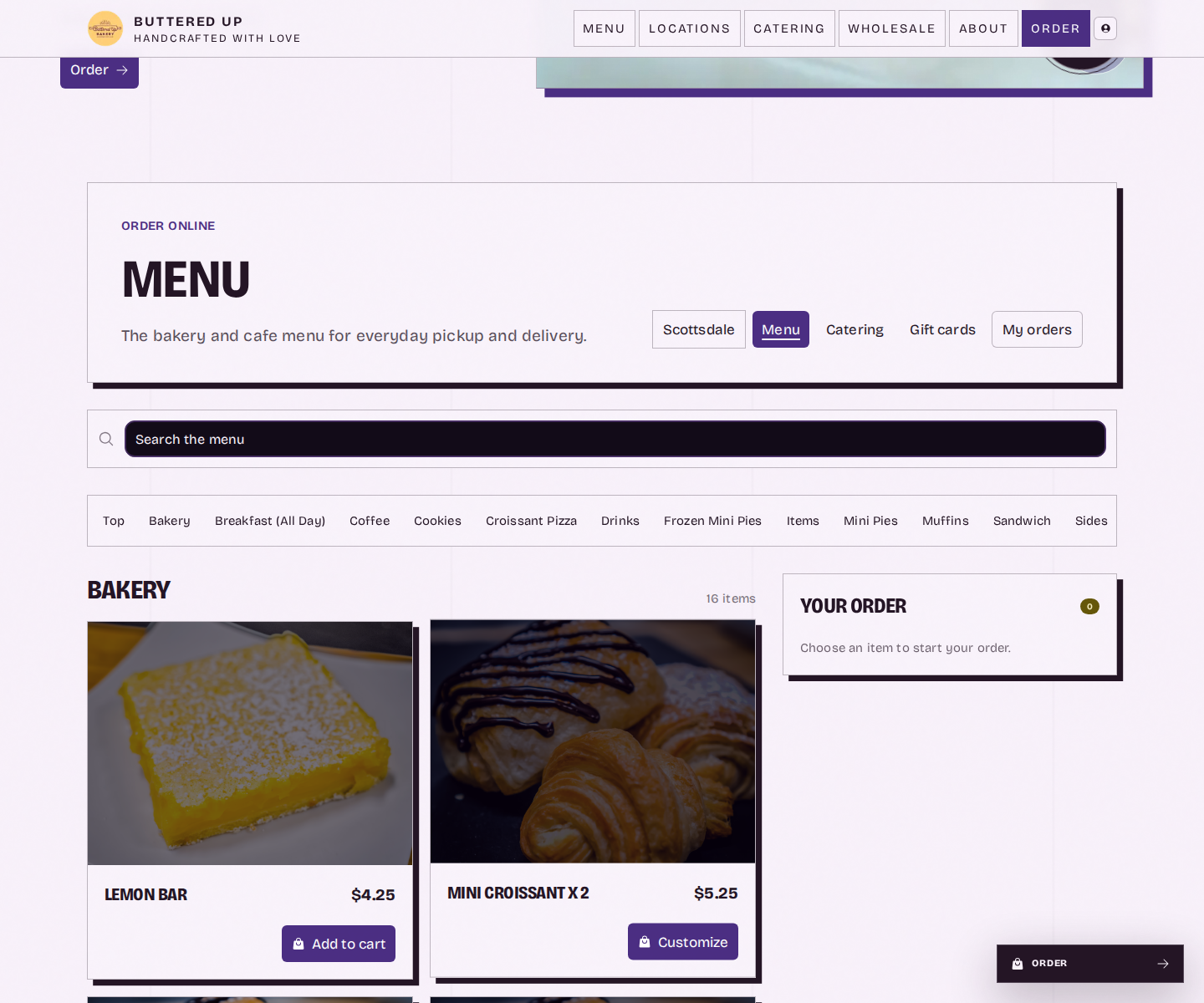
Let customers choose a location, browse the menu, and place an order from the website you share.
Watch the work
05 / In motionShort tours of a tenant website, online ordering, and an email your customers can actually use.
Choose the pages, style, and forms that make sense for your business, then keep the customer experience in view.
Open animated previewGive people a clear path from your public website to the right location, menu, and order.
Open animated previewStart from a purpose, preview the message on mobile and desktop, and review it before sending.
Open animated previewStart small
06 / Your paceBring over the job that is costing you the most time. Keep what already works, learn the new part, and expand only when you are ready.
Choose where to startStart with the thing you complain about most: ordering, recipes, schedules, wholesale, customer orders, or seeing the numbers.
Use your current spreadsheets, exports, website, or connected tools as a starting point. You do not have to rebuild the business in one afternoon.
Once the first job is easier, add another only if it saves time or prevents mistakes. There is no required rollout order.
Your kind of day
07 / Built for youKeep recipes, prep, purchasing, orders, and the weekly schedule close together.
First win: Start with recipes, ordering, or your weekly schedule.
Give the team a clear way to handle service, labor, customers, and follow-up.
First win: Start with checklists, timeclock, or customer ordering.
Plan production, purchasing, delivery, and wholesale without spreadsheet sprawl.
First win: Start with production, purchasing, or wholesale.
Built from the work
08 / A practical promiseFarin grew out of more than 15 years running wholesale and retail bakery operations. The core workspace is free because we already run the infrastructure. We received support when we started, and making useful tools easier for small food businesses is one way we give it back.
Recipes, production, ordering, staffing, and business visibility are available without a subscription or credit card.
AI-assisted accounting can prepare suggestions for review before anything is posted to your books.
Features that depend on outside AI or API services may have usage costs in the future. We will make that clear before you use them.
Explore the shared demo, read the help guides, and start with one job before changing your whole operation.
Good to know
09 / Before you startFarin's core workspace and standard business tools are genuinely free. We built it from our own bakery operations and run the infrastructure ourselves, so you can create a workspace with no subscription, sales call, or credit card. Start with one job and add other tools only when they make your week easier.
Not today. Some optional features may use third-party AI or API services that Farin cannot run on its own infrastructure. If we ever introduce usage charges to cover those outside costs, they would apply only to the optional feature and we would explain them before you use it. Examples could include receipt expense classification, bank statement reconciliation, or wholesale delivery route optimization.
No. Use only what helps. A bakery might begin with recipes and purchasing; a café might begin with scheduling and timeclock; a producer might begin with wholesale orders.
No. Start with the job that is costing you the most time and keep your current spreadsheets or tools alongside Farin while you learn. Bring over only what that first job needs, then add more when it earns its place.
No. Farin is built around the practical work shared by bakeries, cafés, restaurants, and small food producers: making, buying, selling, staffing, and keeping track of the business.
No. The everyday screens are made for owners, managers, and staff doing the work. Technical tools are available, but you do not need them to use Farin.
No. Farin can create suggested classifications and matches from receipts and bank activity, but those suggestions are reviewable drafts. Ambiguous items stay for your review, and you decide what to apply or post. The goal is less repetitive cleanup without giving up your judgment or your accountant.
Yes. Open the public demo to explore sample recipes, purchasing, wholesale orders, and the daily dashboard before creating your own workspace.
Make the next week easier
A calm place to startCreate a free workspace and start with the job you want off your plate. Or open the demo and see the work before you set anything up.